
Putting Bob to work with IBM API Connect V12
This demo explores a practical API development workflow with IBM Bob and API Connect V12: generate gateway assets from OpenAPI contracts, publish and test the APIs, expose their operations through Model Context Protocol (MCP), and extend the project with a new API.
The starting point is a car dealership scenario with three OpenAPI specifications and existing Lua mock response scripts.
A custom skill guided Bob through generation using conventions extracted from existing API Connect projects.
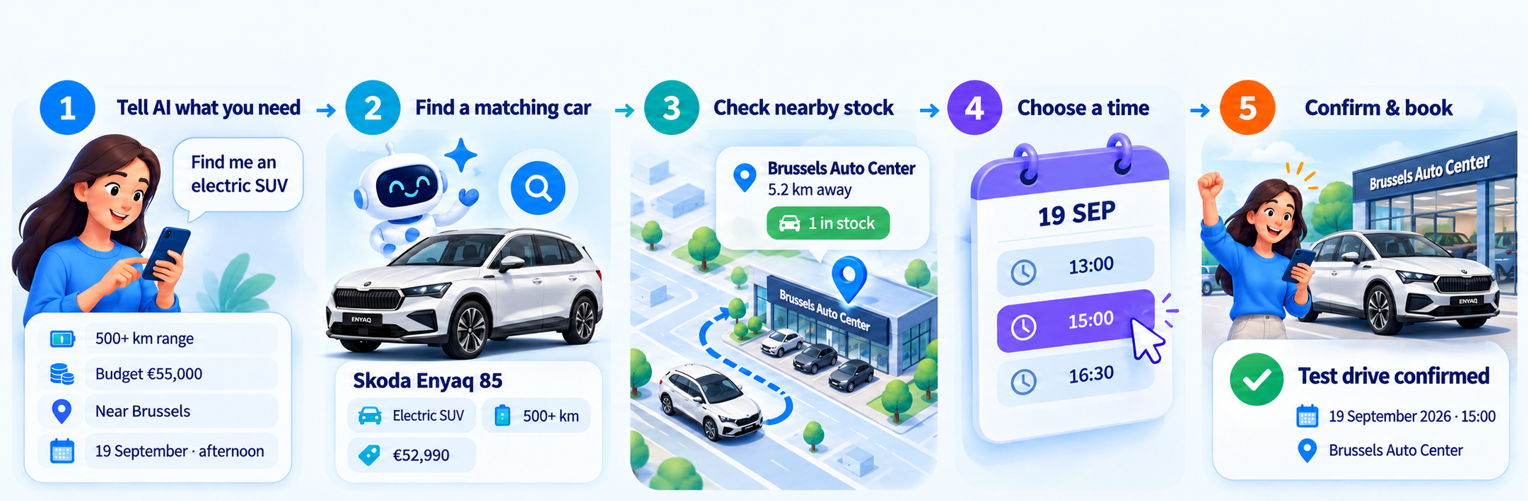
The resulting sandbox supported both direct API requests and conversational tool calls, including vehicle search, dealer inventory lookup, test-drive booking, and purchase offers.
Configuring the development environment
The environment requires an IBM API Connect SaaS subscription and the API Connect Flow Pilot skills and MCP servers configured in Bob. The setup reference is available in the IBM API Connect documentation.
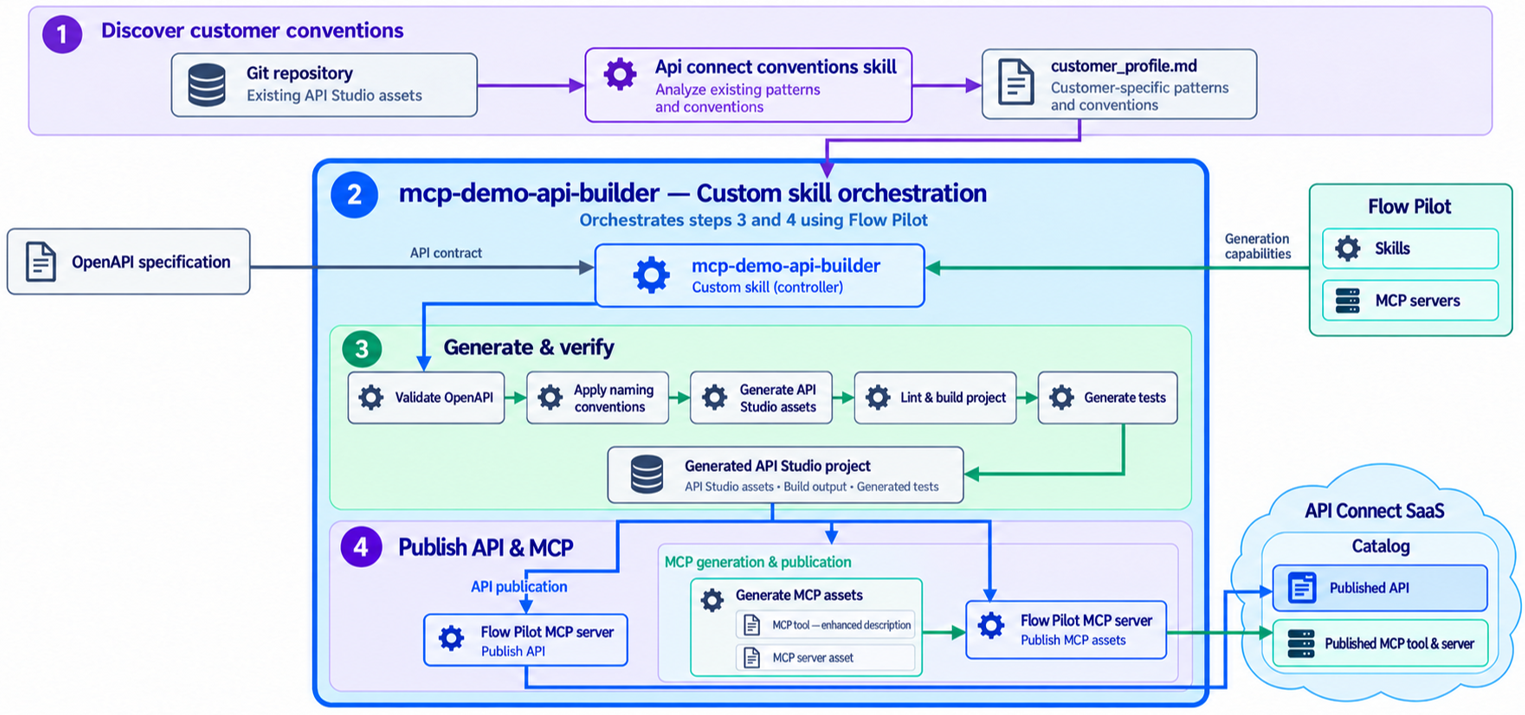
Skills and MCP servers play different roles in the workflow. The skills supply reusable instructions for working with API Connect assets. The configured MCP servers supply callable tools for performing platform operations, including publishing projects.
There are also two distinct uses of MCP in this demo:
- During development: Bob uses the Flow Pilot MCP tools to work with API Connect.
- At runtime: Bob consumes the generated MCP servers to invoke the dealership APIs.
The first enables Bob to build and deploy the integration assets. The second enables it to use those assets in a business conversation.
Extracting project conventions
Before generating the demo, I used a profiling skill to analyze existing API Connect V12 projects and produce a customer conventions profile.
The profile captures implementation details such as naming conventions, policy organization, and project structure. These details complement the OpenAPI contracts: a contract defines paths, operations, parameters, and response schemas, while the customer profile describes how to represent those contracts in the API Connect project.
I then created a custom skill called mcp-demo-api-builder. It combines the customer profile with the Flow Pilot capabilities to guide asset generation.
Generating APIs from OpenAPI contracts
The initial project contains specifications for Vehicle Catalog, Dealer Inventory, and Test Drive, together with Lua scripts for mock responses.
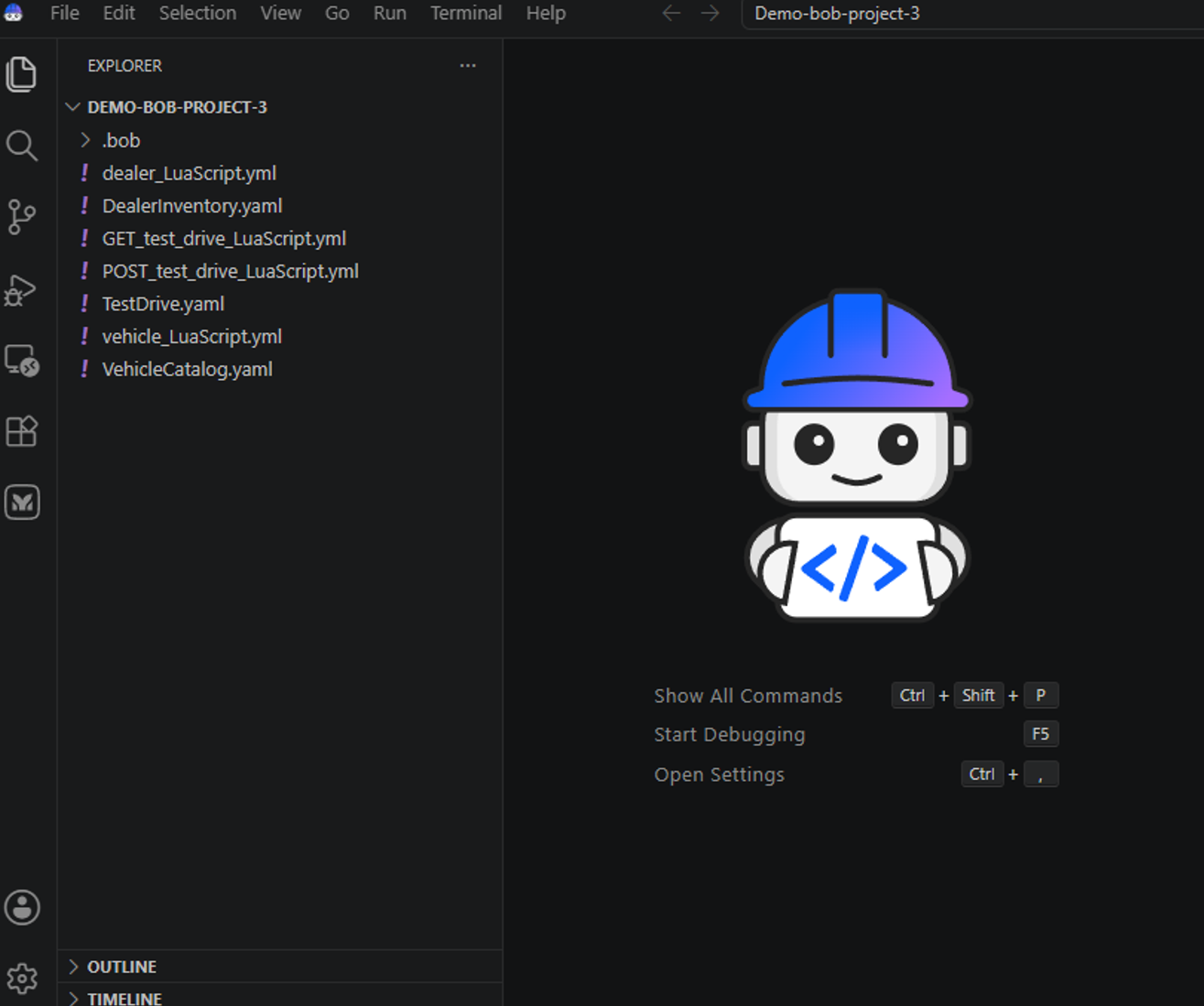
The APIs represent a connected workflow. Vehicle Catalog supplies vehicle information, Dealer Inventory identifies available vehicles at dealerships, and Test Drive exposes appointment availability and booking operations.
I asked Bob:
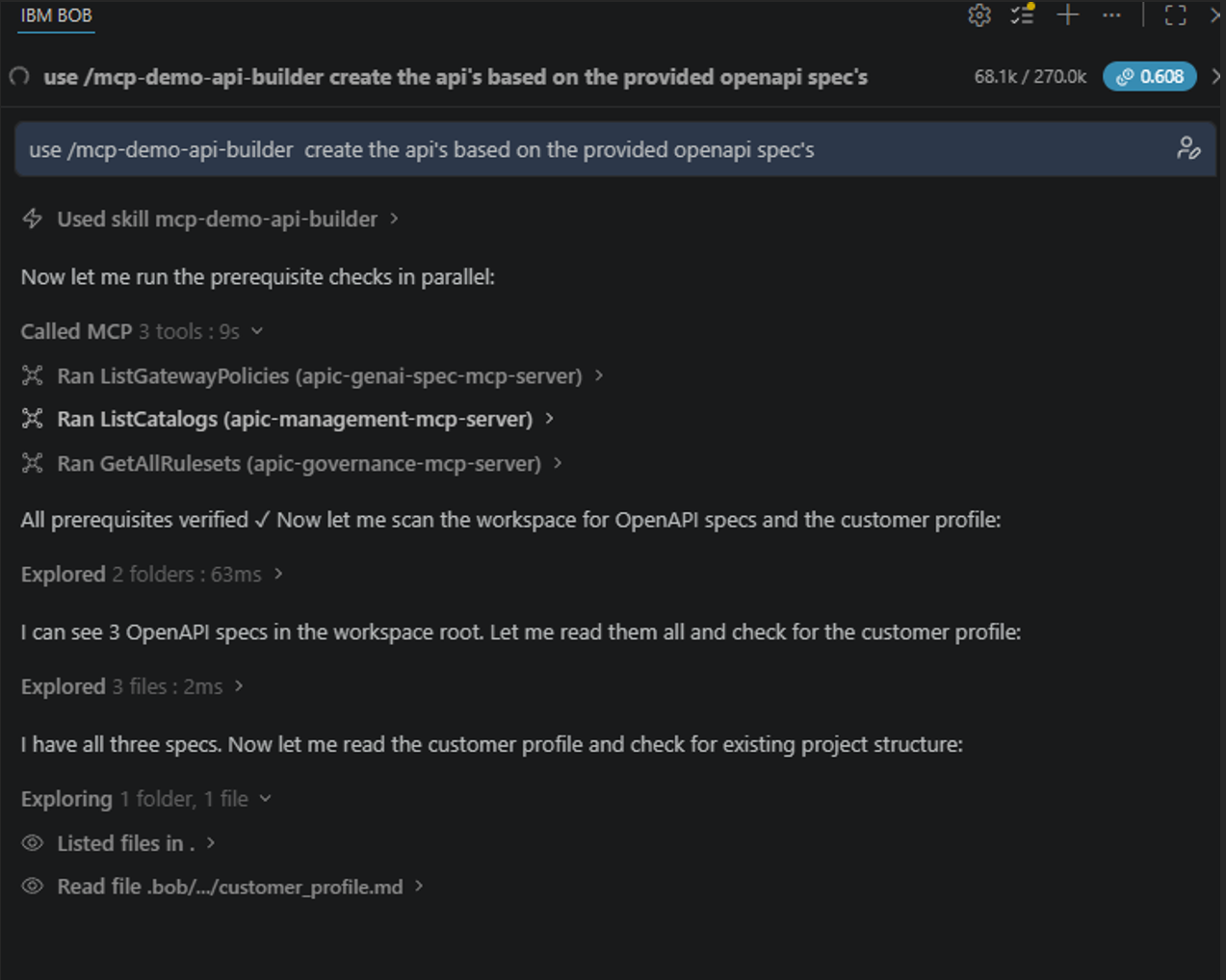
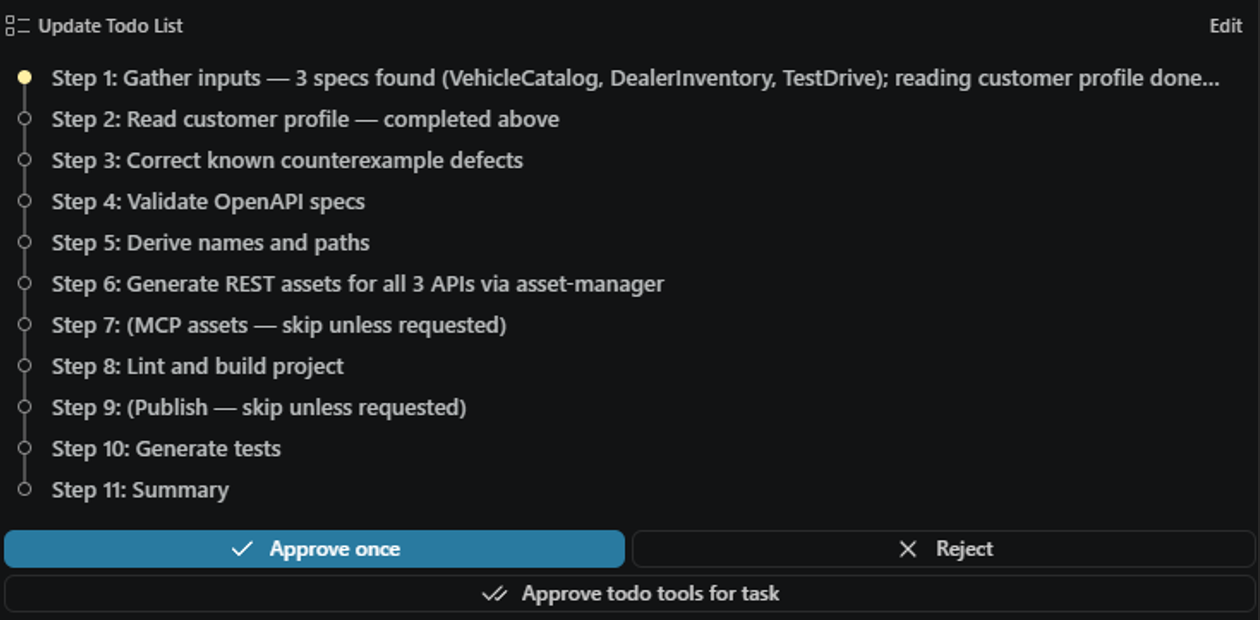
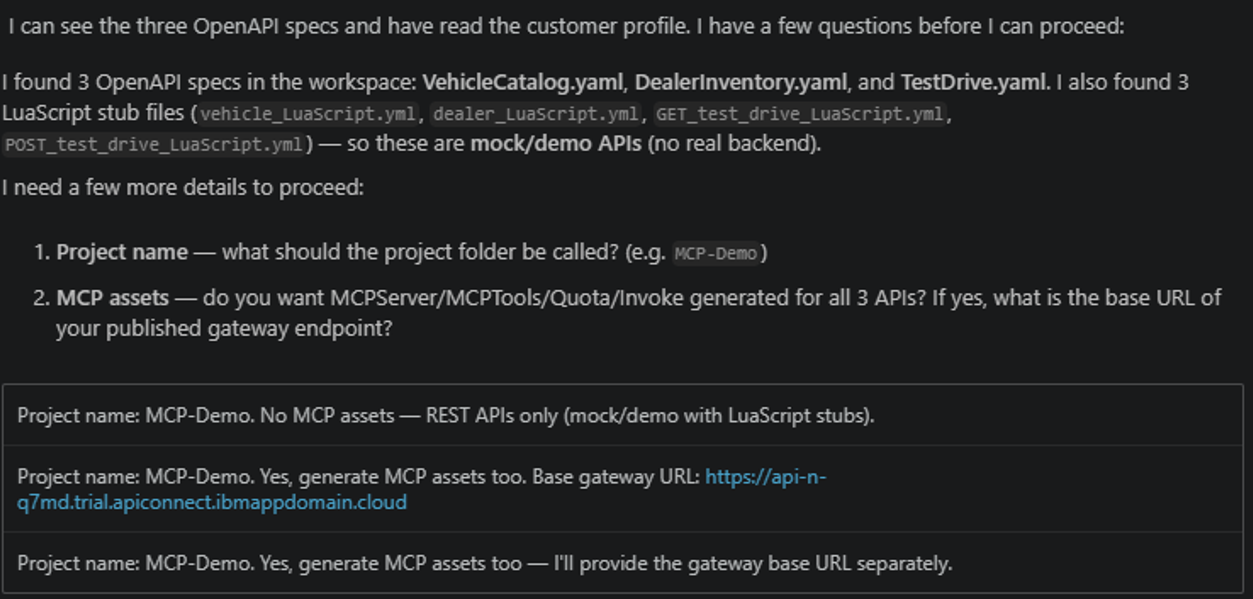
The custom skill requests what project-name to use and what the integration pattern is. I selected the mock/demo and only the REST APIs.
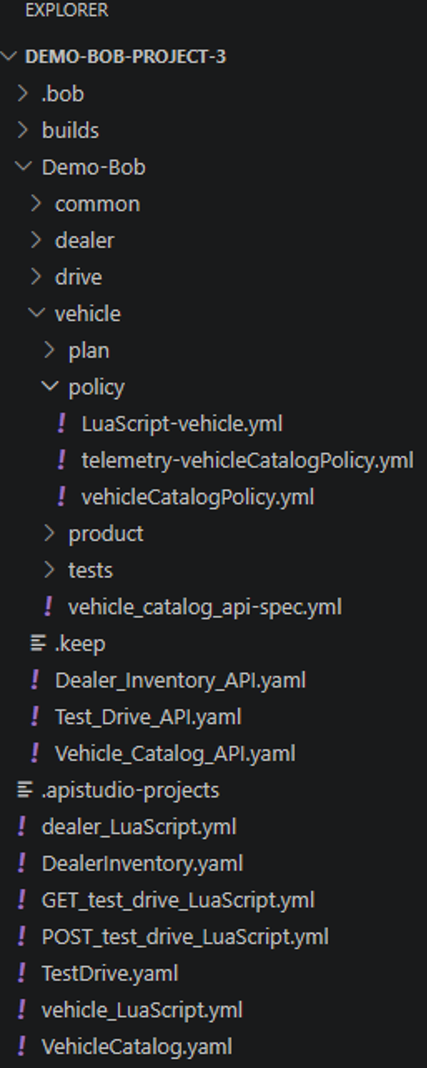
Assets created:
Publishing and validating the APIs
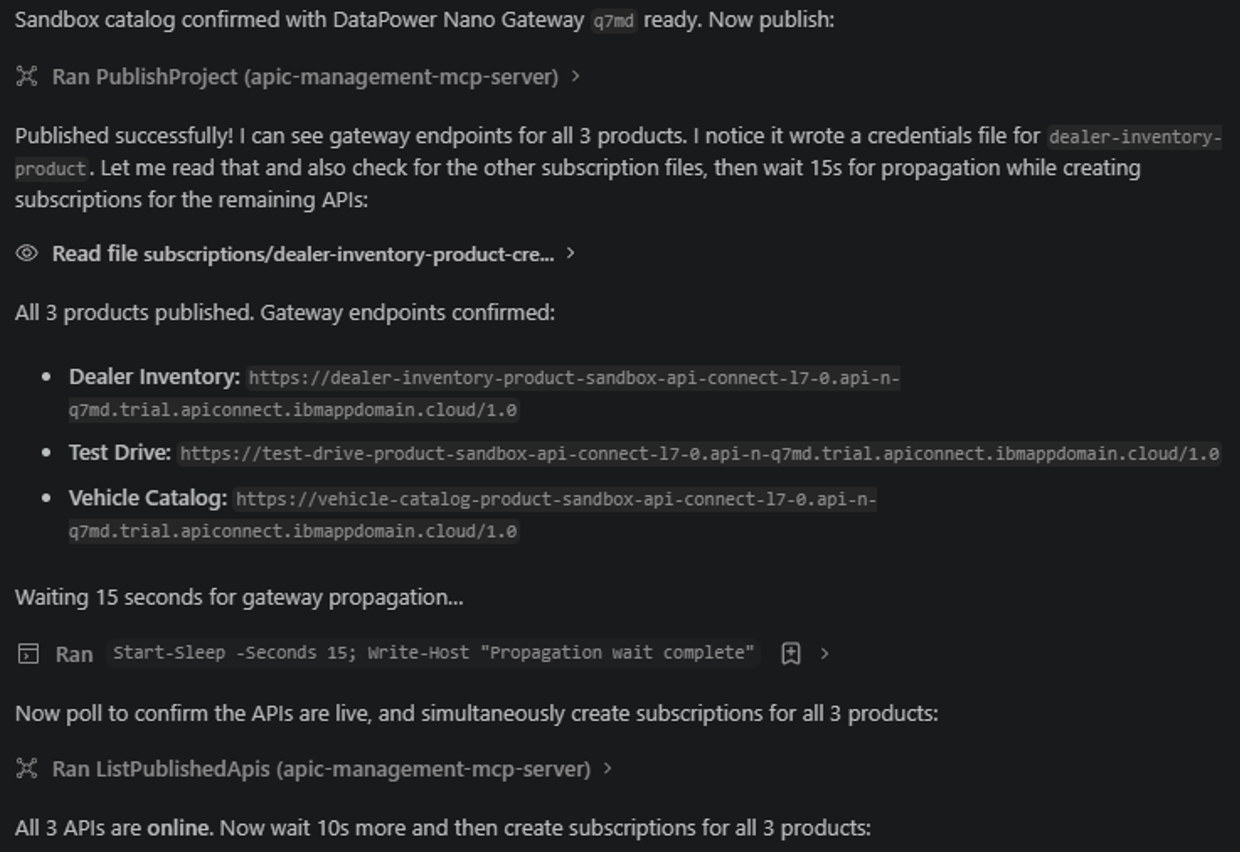
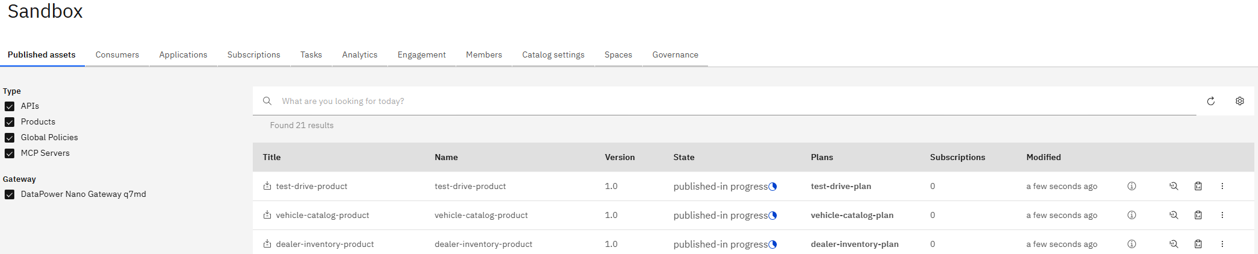
The three API products are published to the sandbox catalog on DataPower Nano Gateway. Test applications and subscriptions are also created, allowing the tests to invoke the published endpoints.

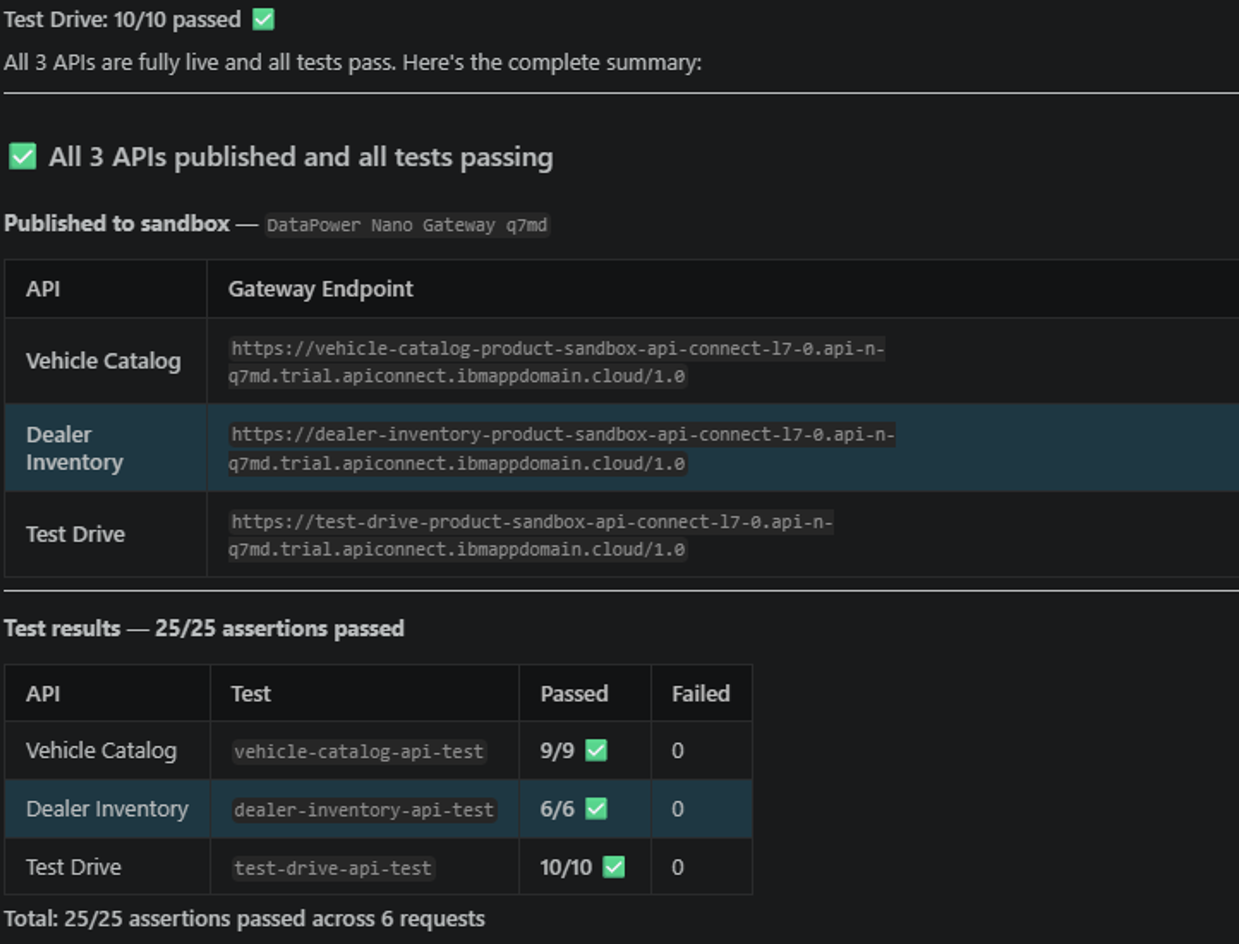
This verified the published APIs against the demo’s test assertions. Because the responses come from mocks, the results describe the sandbox behaviour. They do not establish compatibility with a production backend.
The useful checkpoint was that generation, publication, subscription setup, and request execution had all been exercised.
Exposing API operations as MCP tools
Once the REST APIs are working, I request the MCP assets:
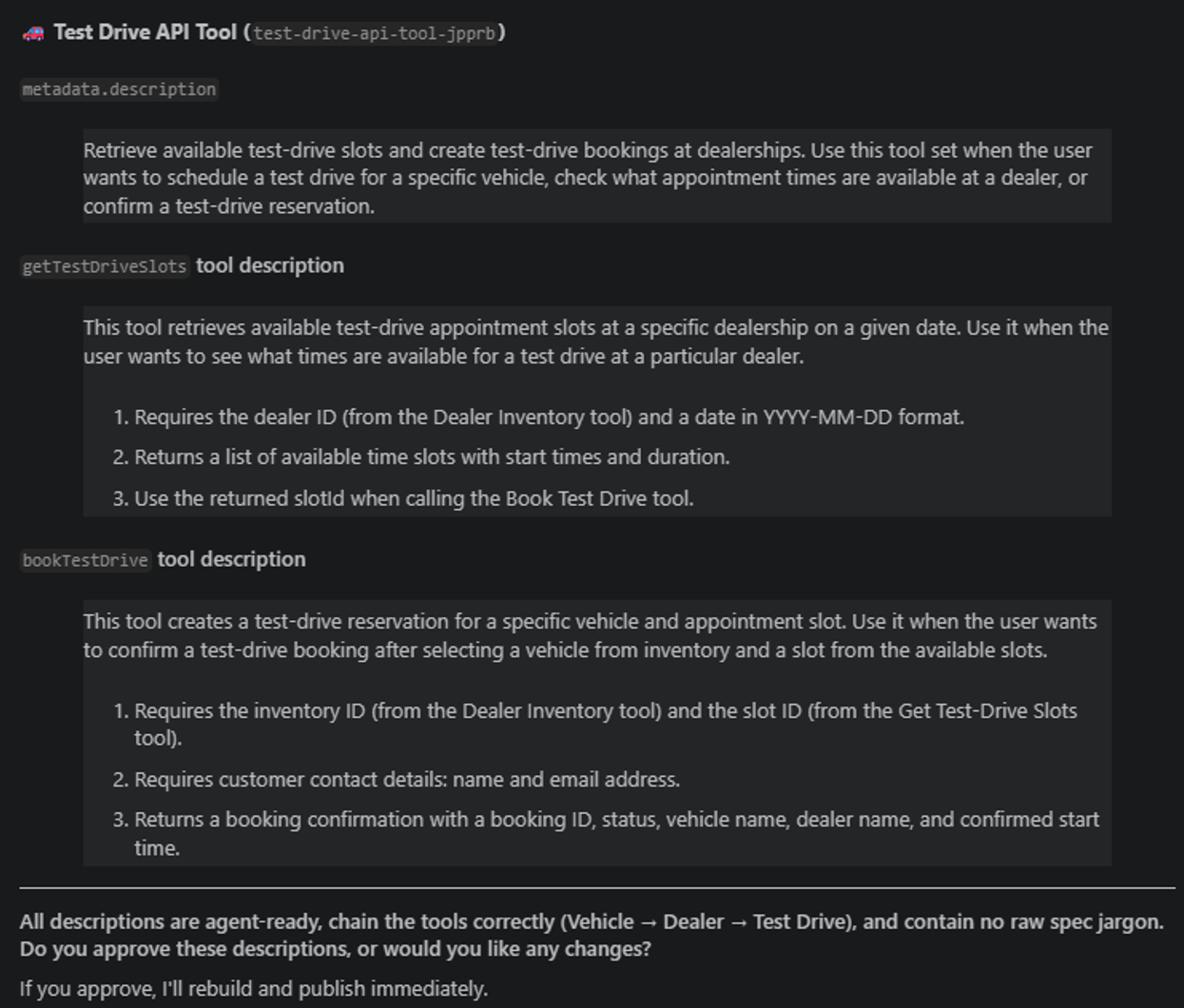
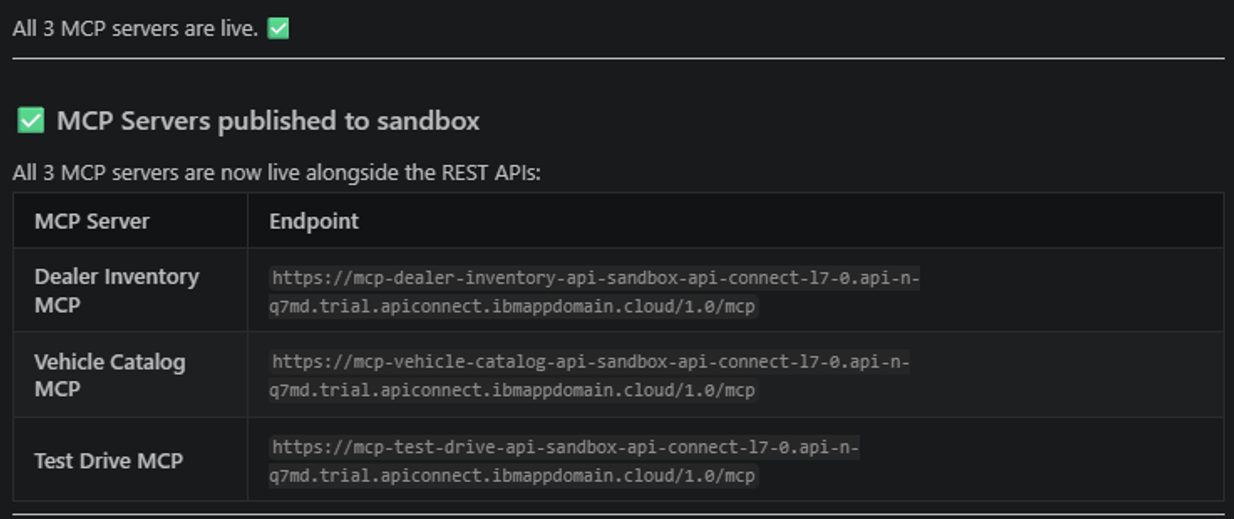
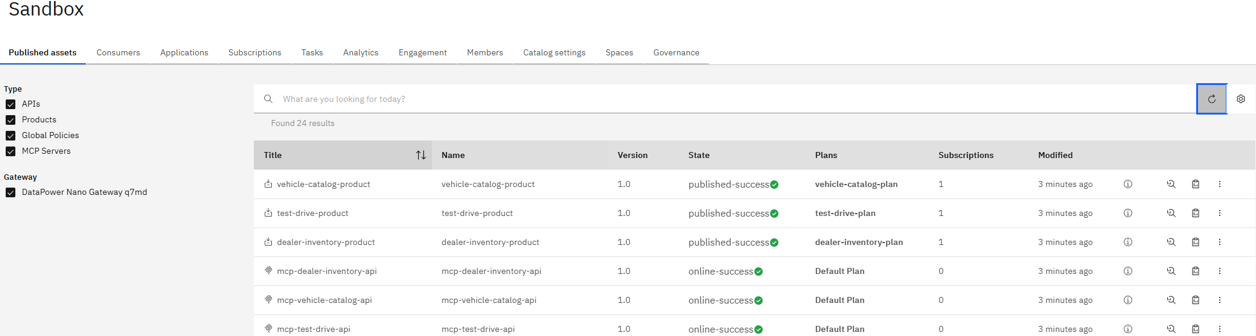
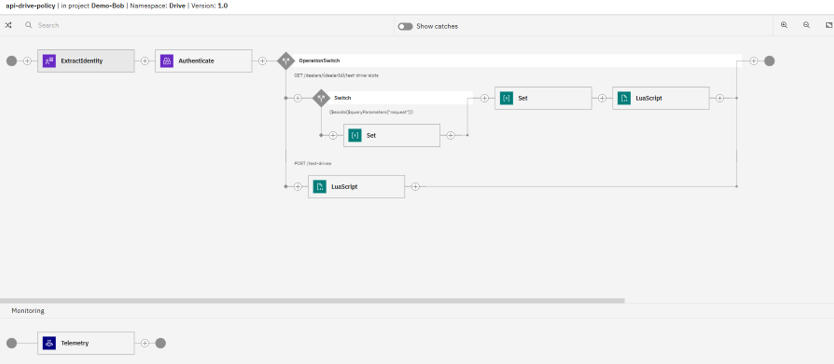
The generated project includes MCP servers for Vehicle Catalog, Dealer Inventory, and Test Drive, together with their tool definitions and policy sequences.
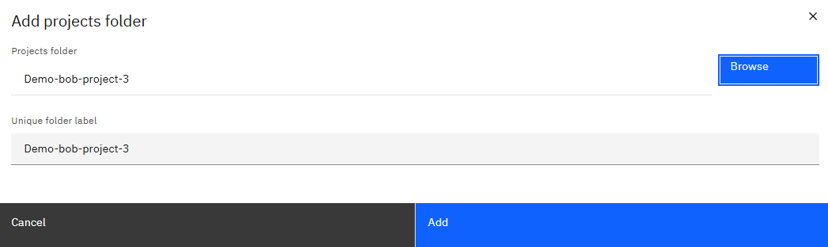
I opened the project in API Studio to inspect the generated assets. The Test Drive server exposed tools such as getTestDriveSlots and bookTestDrive.
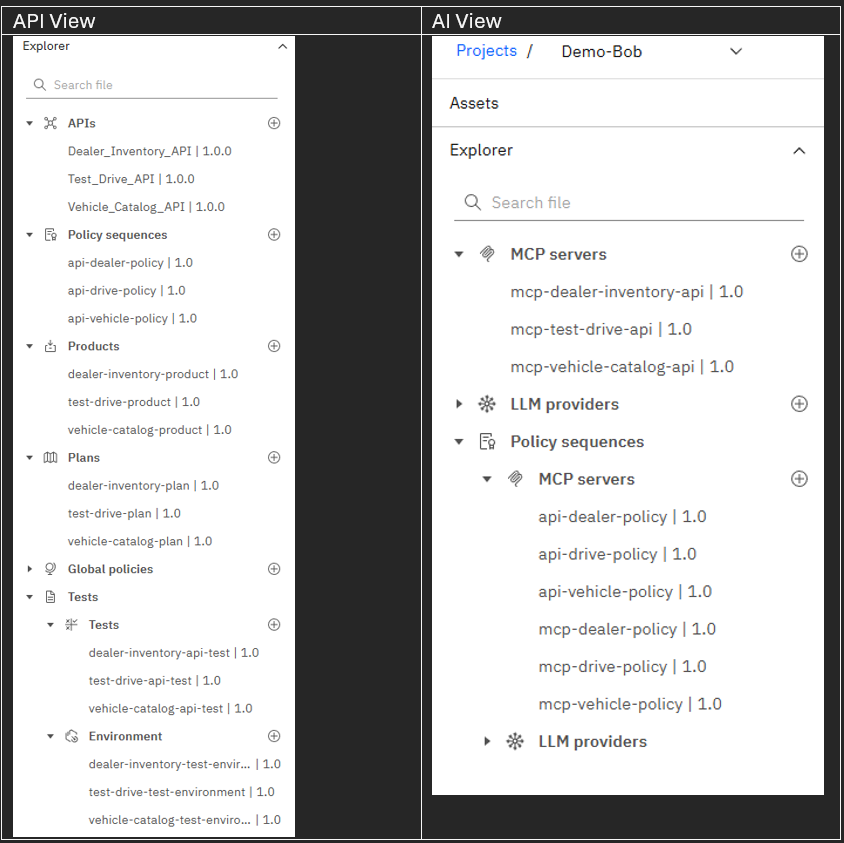
api-drive-policy:
mcp-test-drive-api:
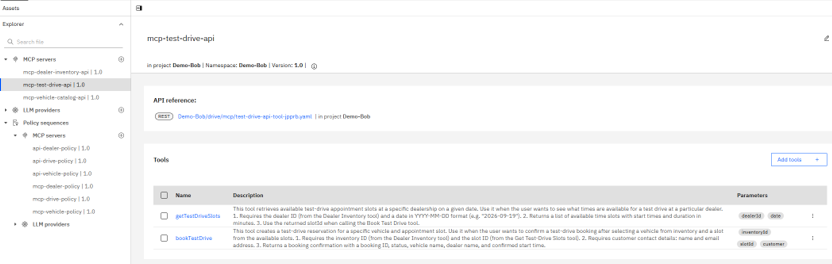
Their descriptions documented both purpose and input dependencies. For example:
getTestDriveSlotsrequired a dealer ID and a date.bookTestDriverequired an inventory ID, a slot ID, and customer contact details.
These dependencies are central to tool orchestration. The assistant must get the dealer and inventory identifiers from the inventory operation, retrieve valid slots, and then use the selected slot when booking.
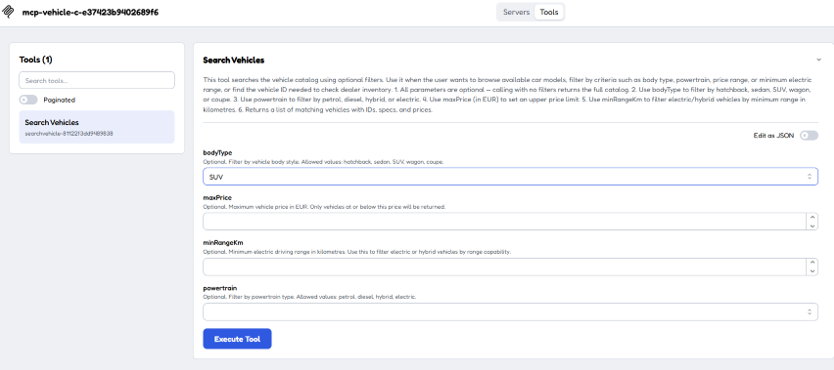
The Vehicle Catalog tool also exposed typed search parameters, including body type, powertrain, maximum price, and minimum range. These gave the assistant a structured interface for translating a user’s preferences into an API call.
I connected to the published MCP servers in a test client, inspected the tool list, and executed calls to verify the returned payloads.


Adding an API from a business requirement
The initial generation started from a contract-first approach. To test project extension, I introduced a requirement without supplying another OpenAPI specification or mock response Lua script:
Bob now had to define the new API using the requirements and the existing project context.
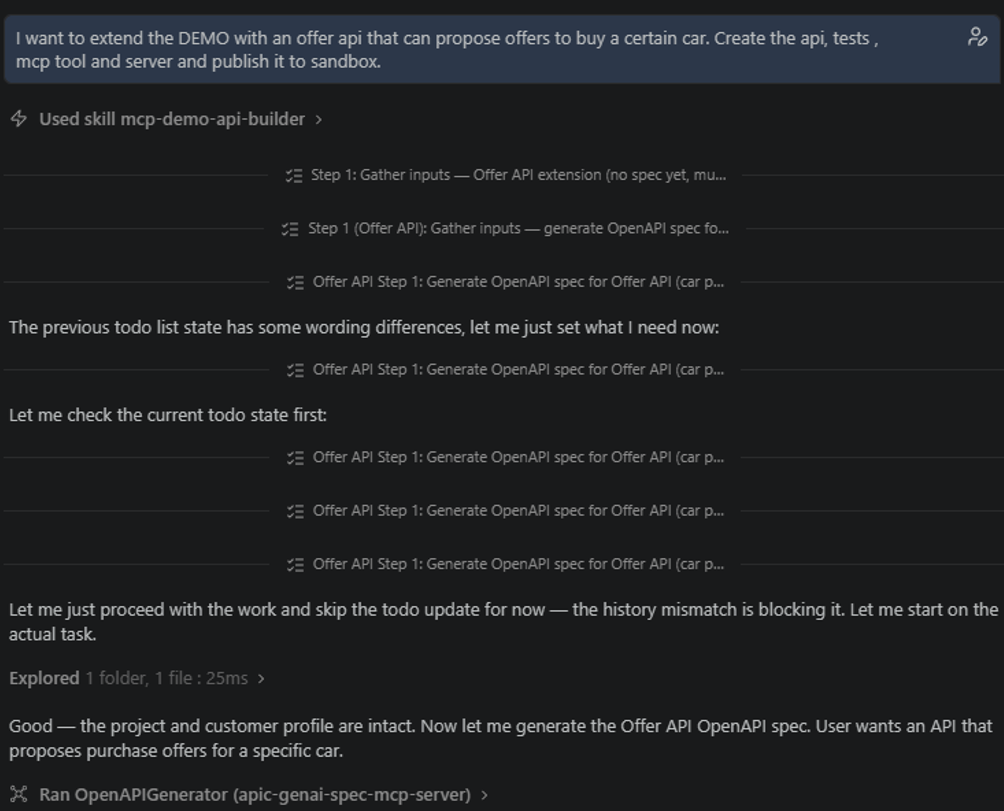
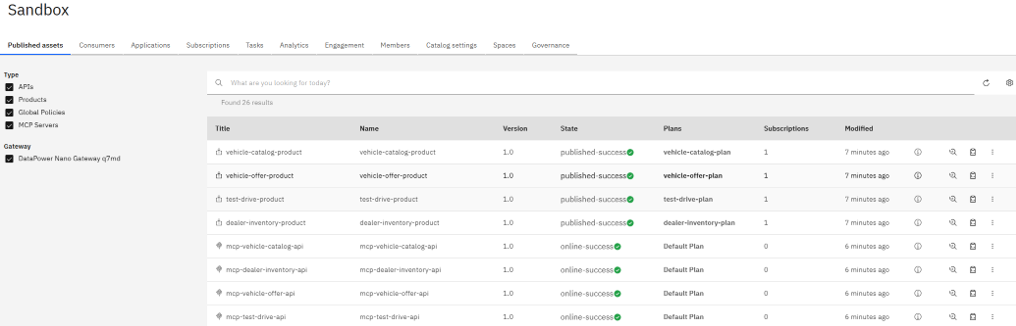
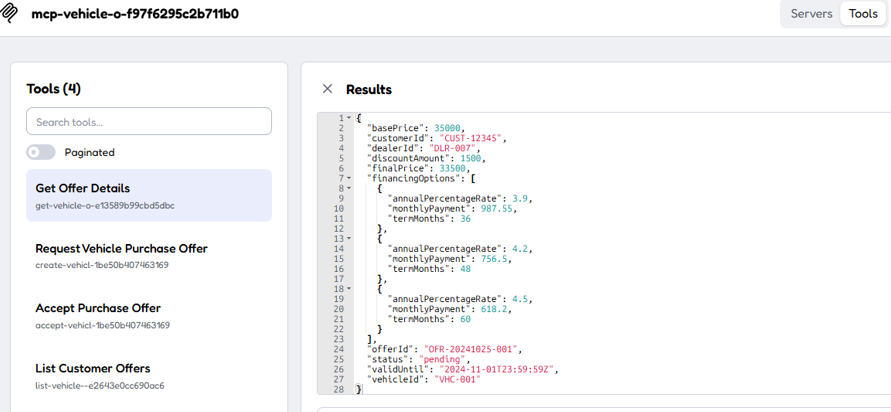
The generated offer capability exposed four tools:
- Request Vehicle Purchase Offer.
- Get Offer Details.
- Accept Purchase Offer.
- List Customer Offers.
This added a new resource and interaction flow while retaining the conventions established for the original APIs. It also extended the runtime toolset beyond search and booking into offer creation and acceptance.
Executing the business workflow through Bob
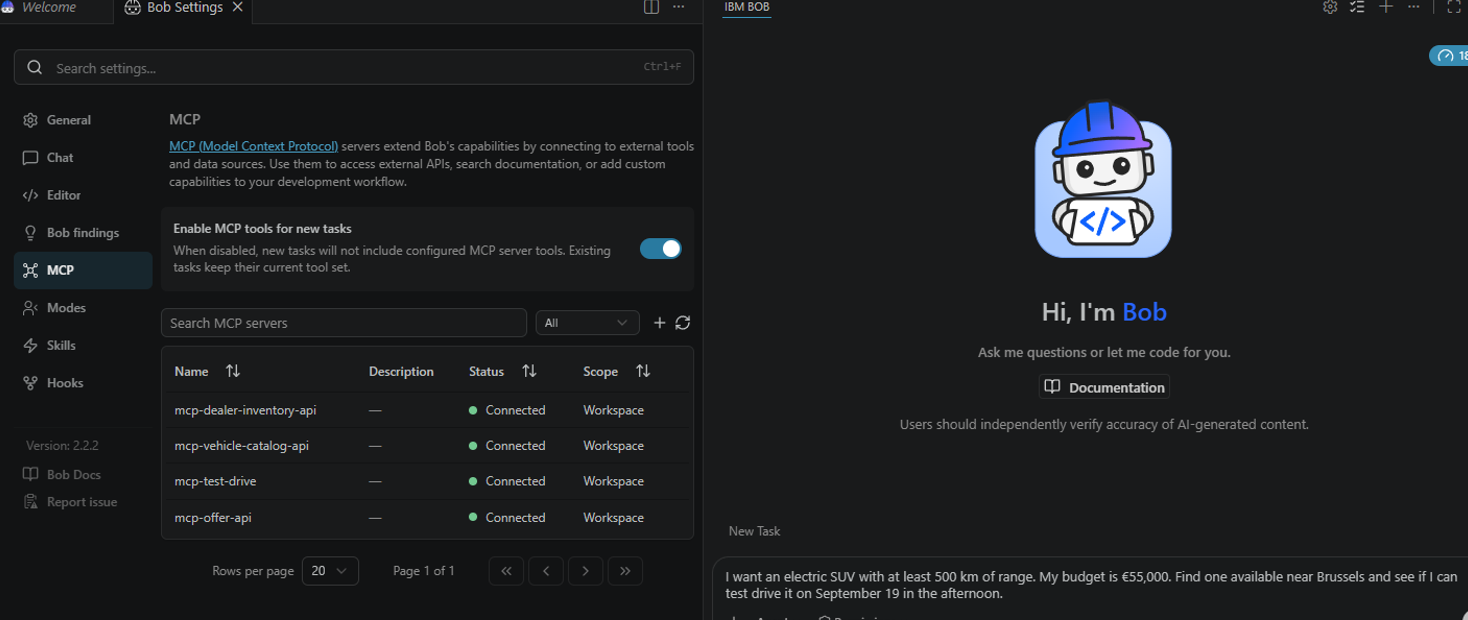
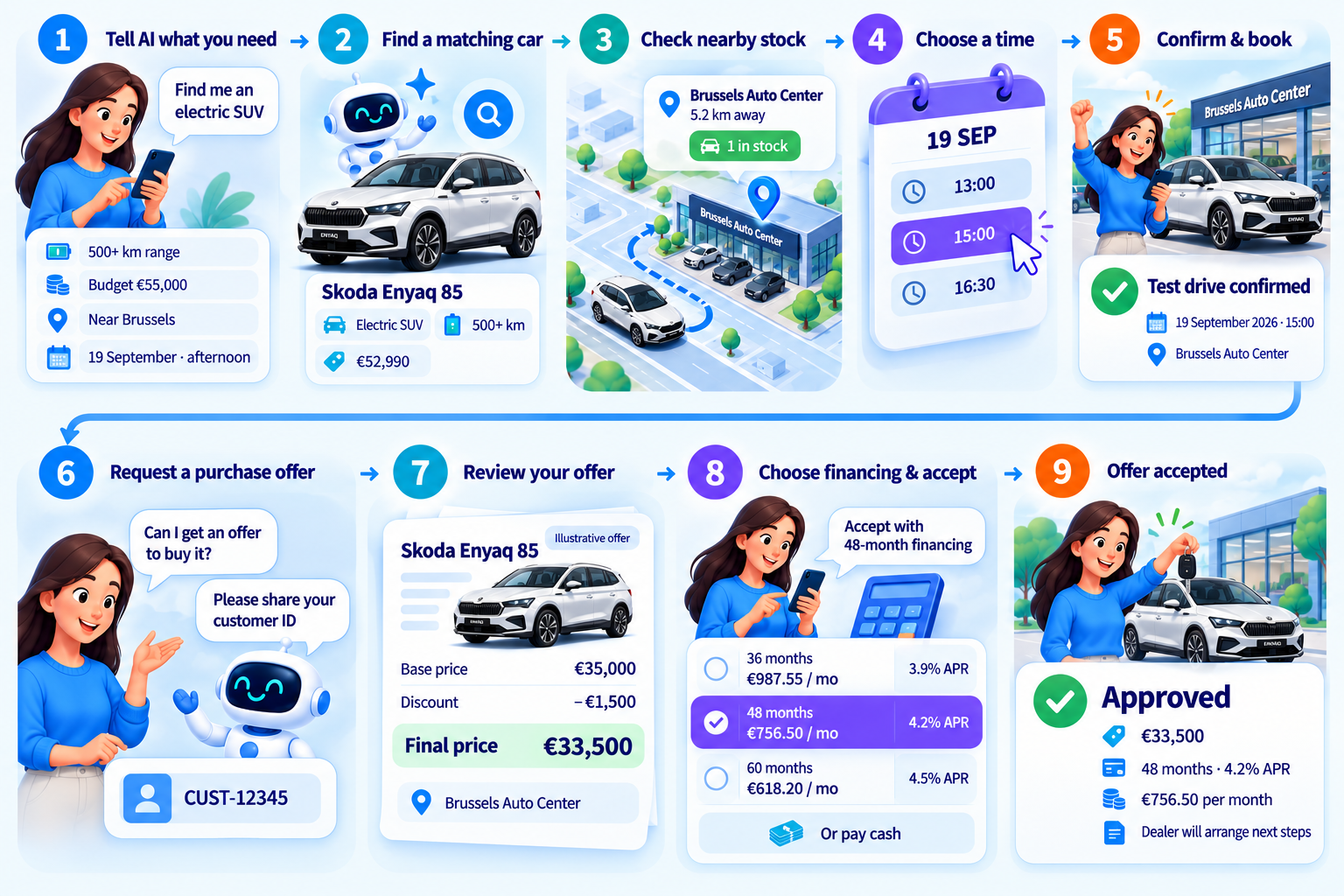
With all four MCP servers connected in Bob, I tested the tools through a natural-language request:
Bob translated the request into a sequence of tool calls:
- Search the vehicle catalog using the requested vehicle criteria.
- Use the selected vehicle to find dealer inventory near Brussels.
- Retrieve appointment slots for the selected dealer and date.
- Ask for a preferred slot and customer contact details.
- Invoke the booking tool and present the confirmation.

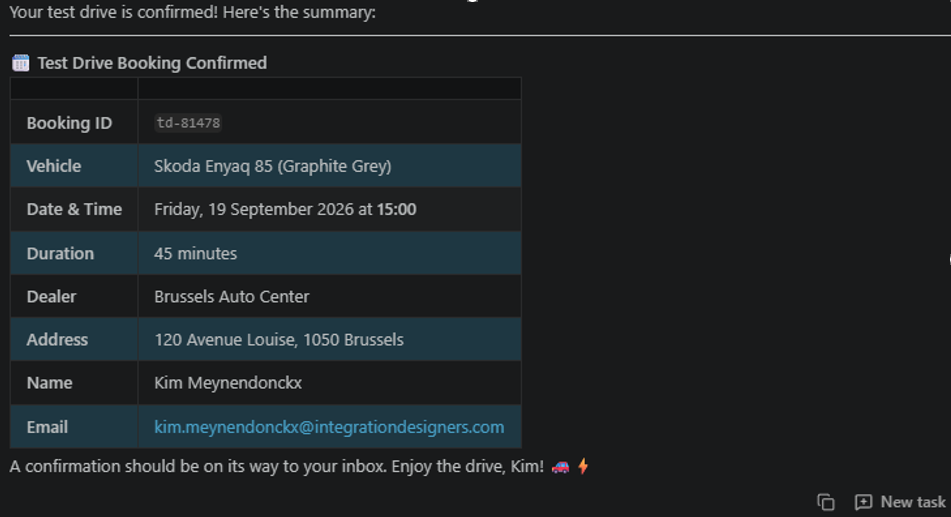
I extended the conversation with:
Bob requested the customer ID required by the offer operation, invoked the offer tool, and presented the returned pricing and financing options.
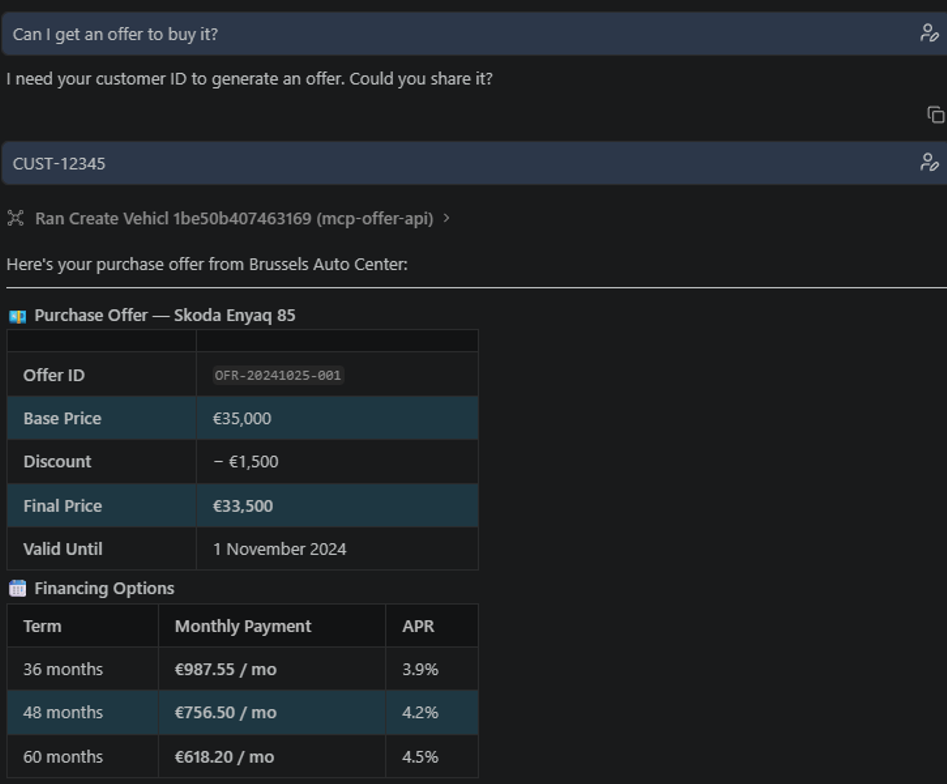
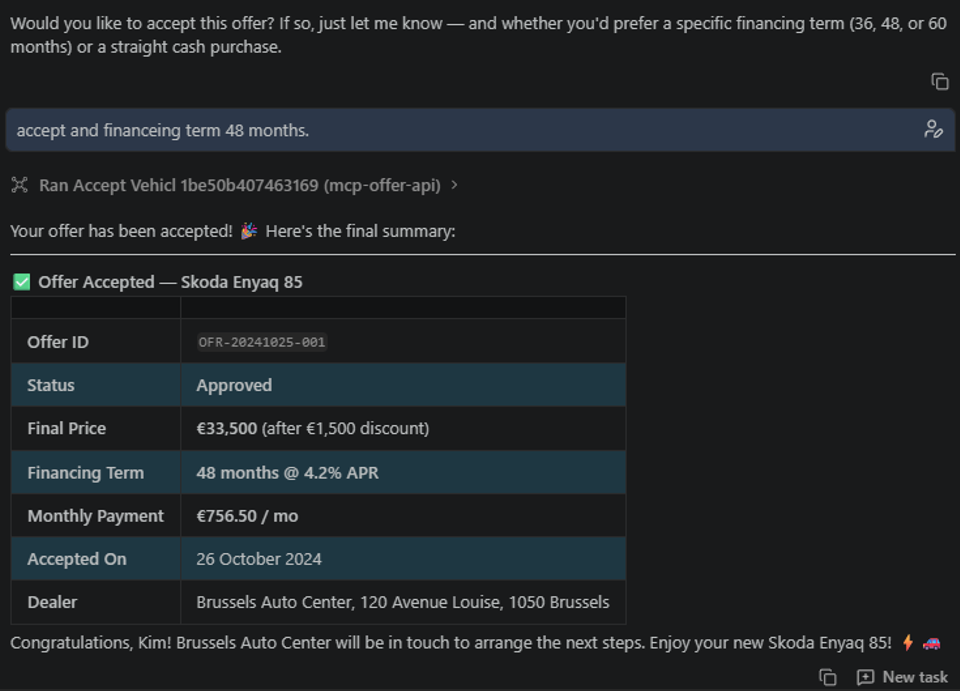
All of these responses belonged to the mock-backed demo. The technical result was a working chain of tool invocations across separate API domains.
From the right context to a working API
With the right context and input, AI agents can generate a complete, working API definition in a matter of minutes while following your established development standards. OpenAPI contracts, existing project examples, customer conventions, and reusable skills give the agent the guidance it needs to apply consistent naming, policy structures, and project organisation.
This demo shows how that approach can extend beyond generation into sandbox publishing, test execution, and MCP tool creation. The quality of the input directly shapes the result: making your standards explicit gives the agent a repeatable foundation for building new APIs and extending existing projects.
This demo used IBM Bob, but the approach can also be applied with other coding agents (OpenAI Codex, Claude Code, ...). Each would need the appropriate instructions, compatible tools, platform access, and project context configured to carry out the workflow.
